To move your business forward with Wipöp, you need to complete the registration process. Below, we guide you step by step to make your company migration easier.
Before you start, we recommend having the following ready:
- Your company must be legally incorporated: To complete the process, it is essential that your company is already incorporated and that you have your tax identification number (CIF).
- ID or NIE: Identity document of the legal representative.
- Your mobile phone: You will need your mobile device to verify your identity and sign the contract.
- Additional documentation: Such as the deed of incorporation and powers of attorney.
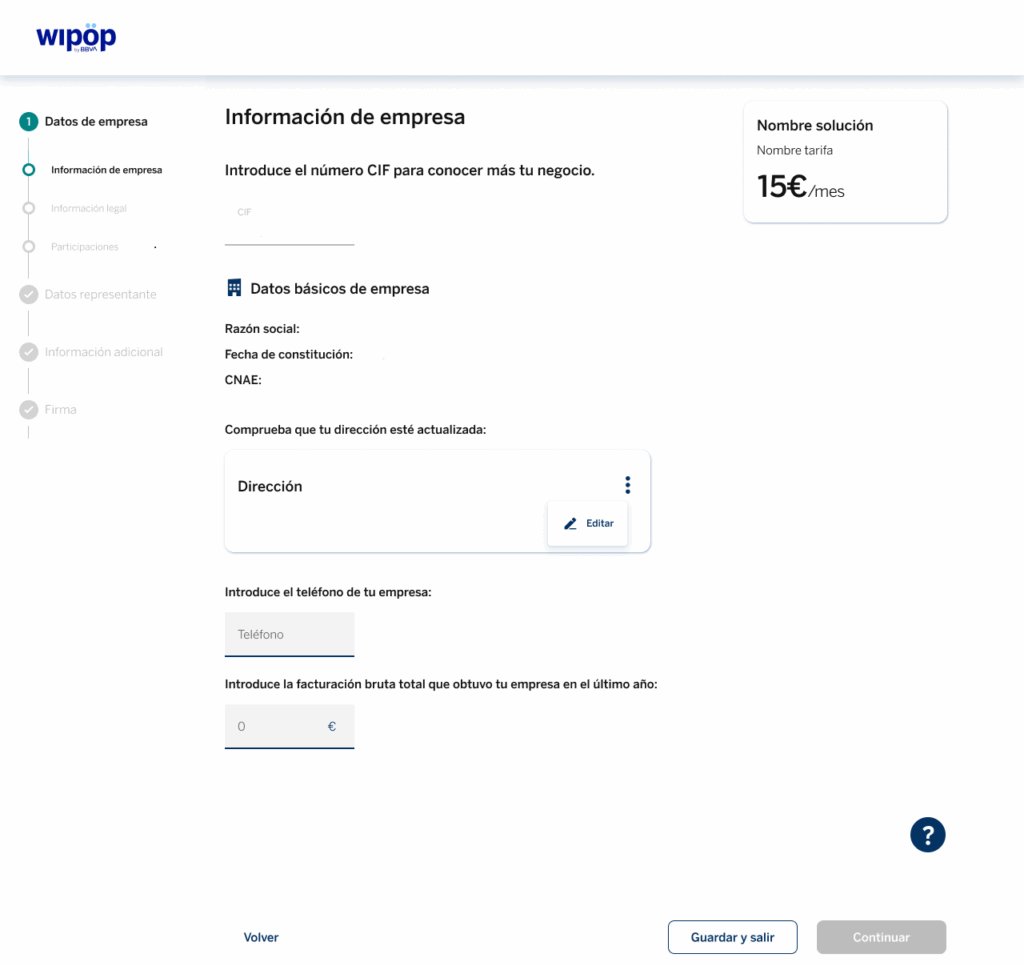
In this section, you will need to complete three tabs. In the first one, you will be asked to provide the following information about your company. We provide an example as a reference:
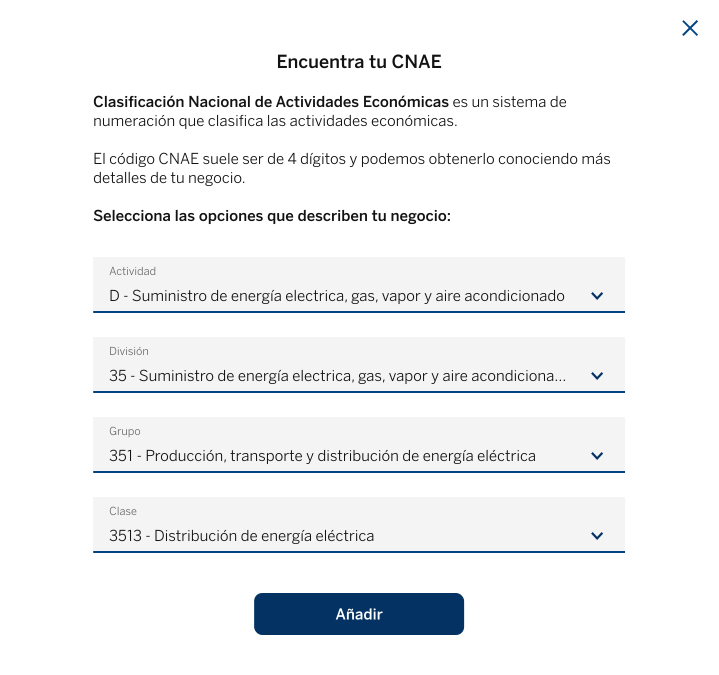
To find your CNAE information, you can use the following example as a reference:
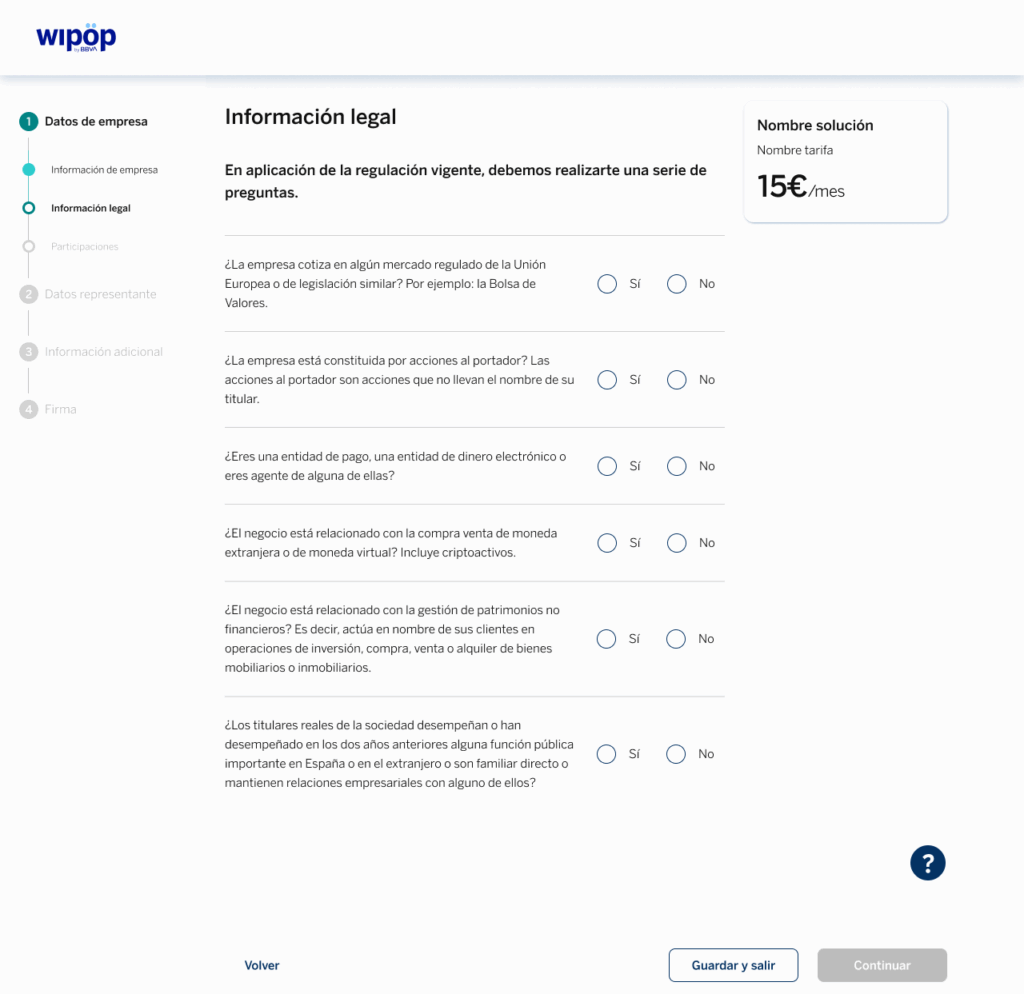
In the second tab of this step, you will be asked to enter your legal information by completing a short and simple questionnaire:
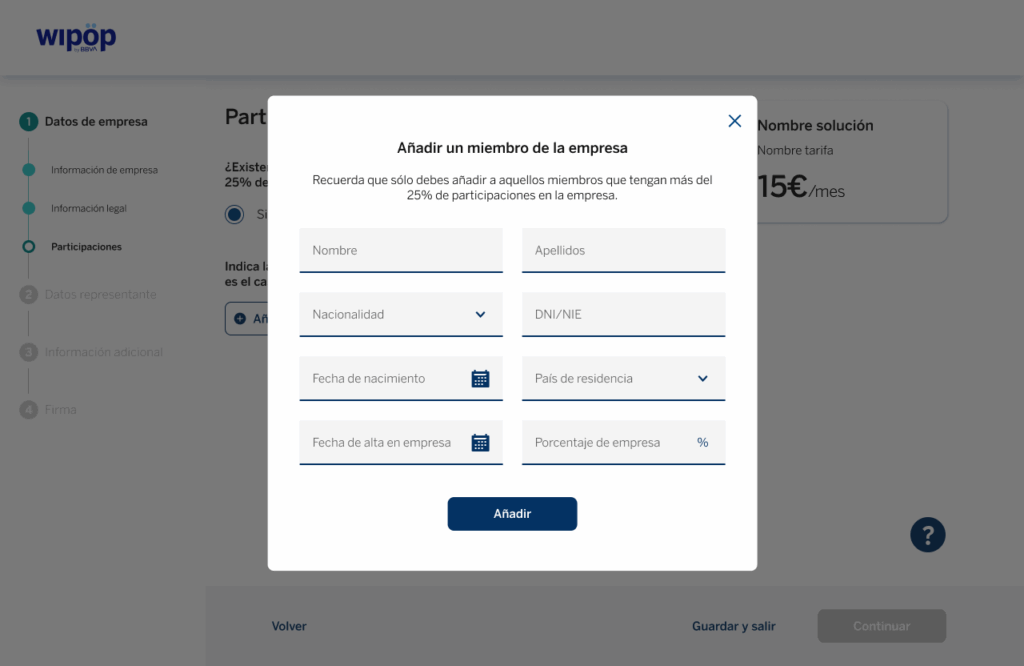
Finally, you will access the third tab, where you must indicate whether there are other participants in your business. That is, natural persons who control or own more than 25% of the company. If so, you will be asked to add as many members as necessary. To do this, simply enter the details shown in the following example:
If, on the other hand, there are no other participants but you are not the company administrator, you will be asked to enter the administrator’s details.
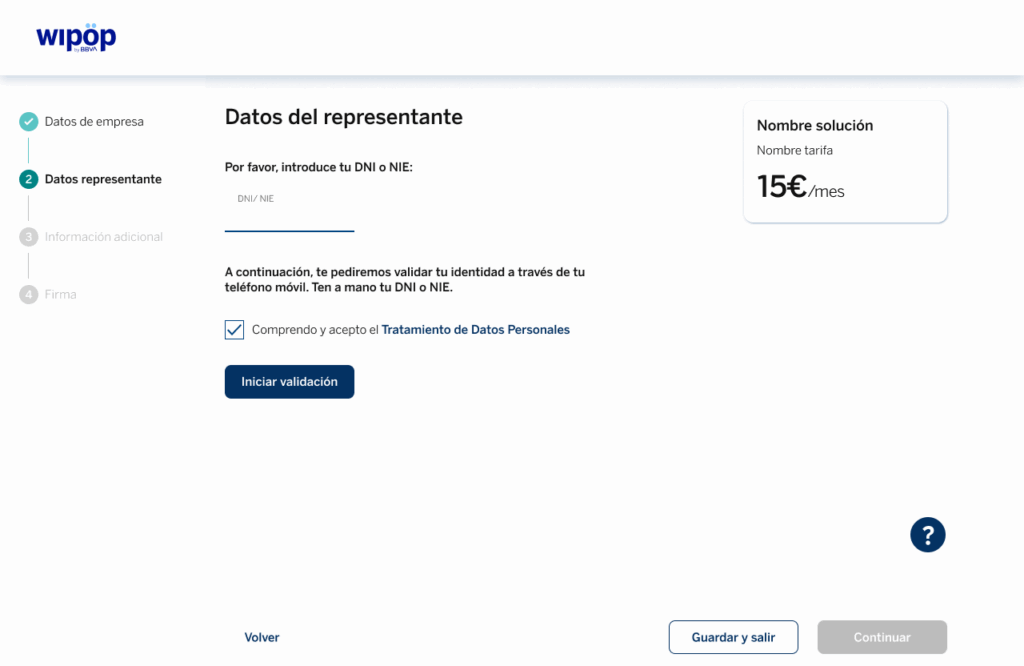
In this section, you must provide the personal information of the company representative. For this reason, it is important that this person has their ID or NIE available, as well as their mobile phone.
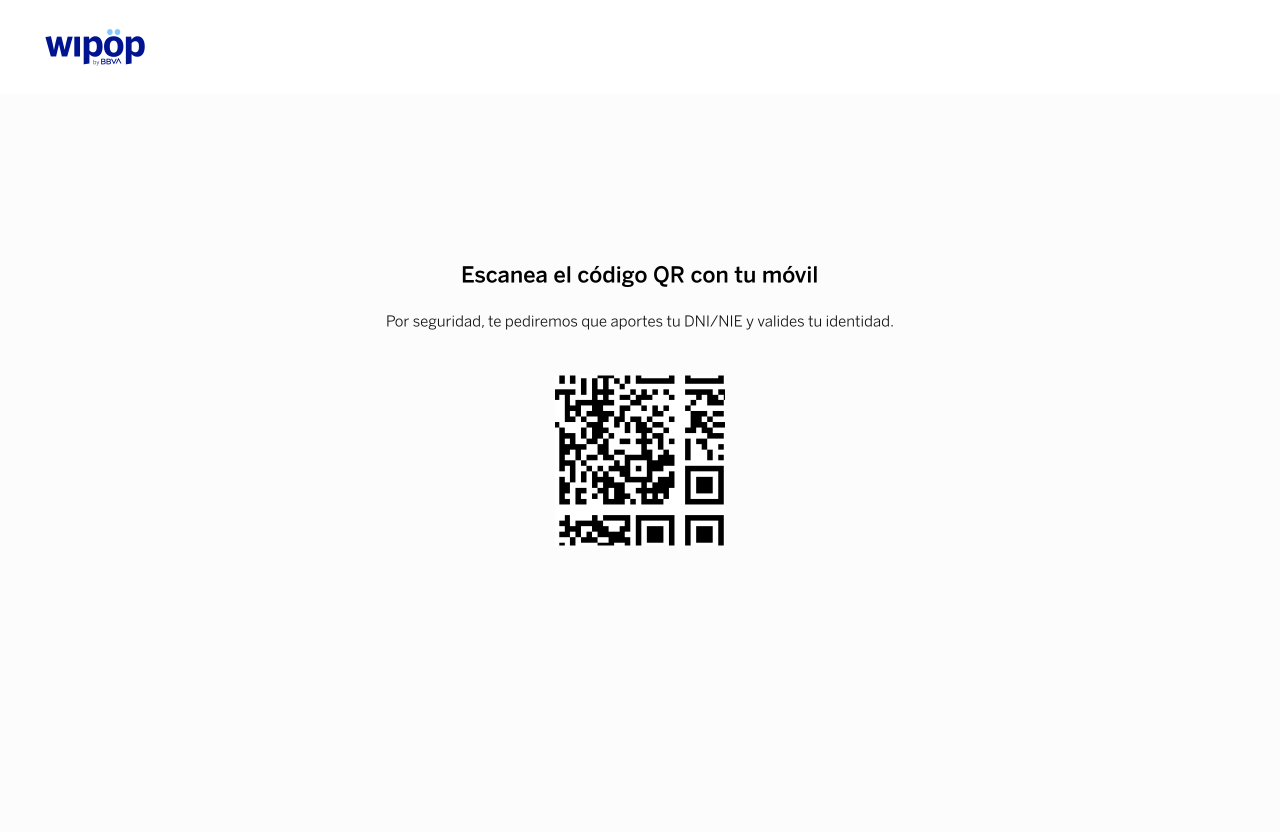
Next, we will ask them to validate this information via their mobile phone by scanning a QR code that will be displayed on the screen.
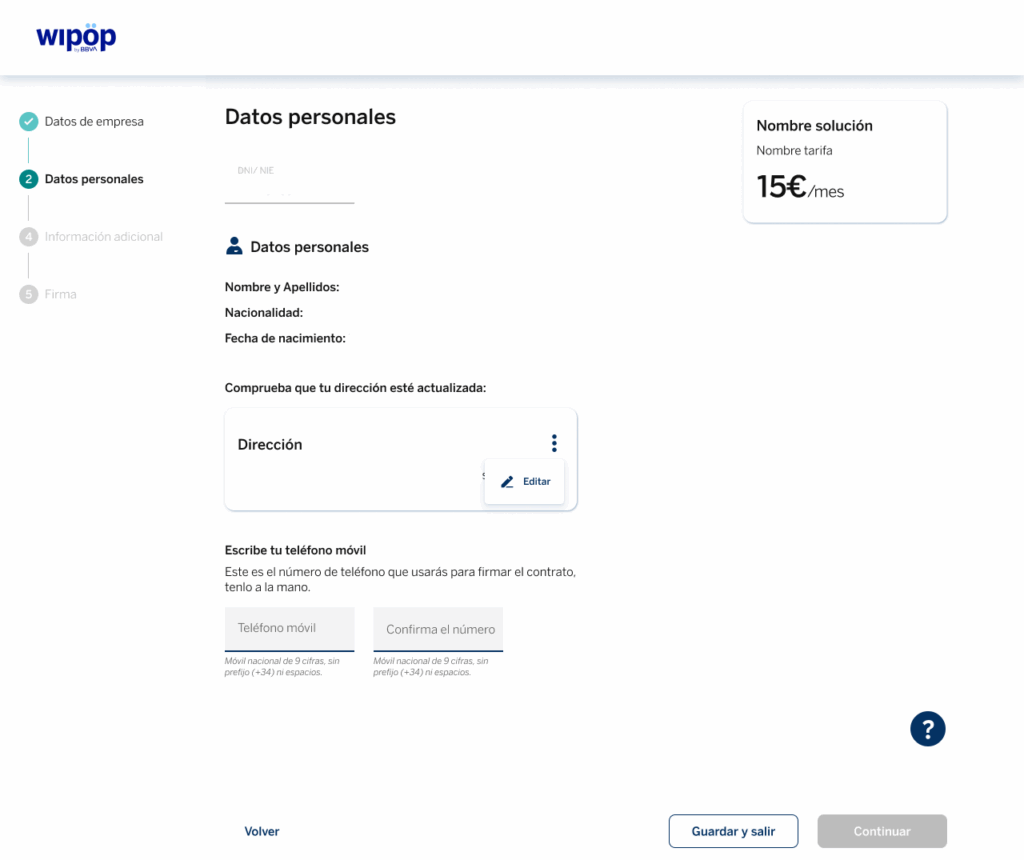
Once the brief process on your mobile phone has been completed, options to edit your residential address and add a mobile phone number will be displayed.
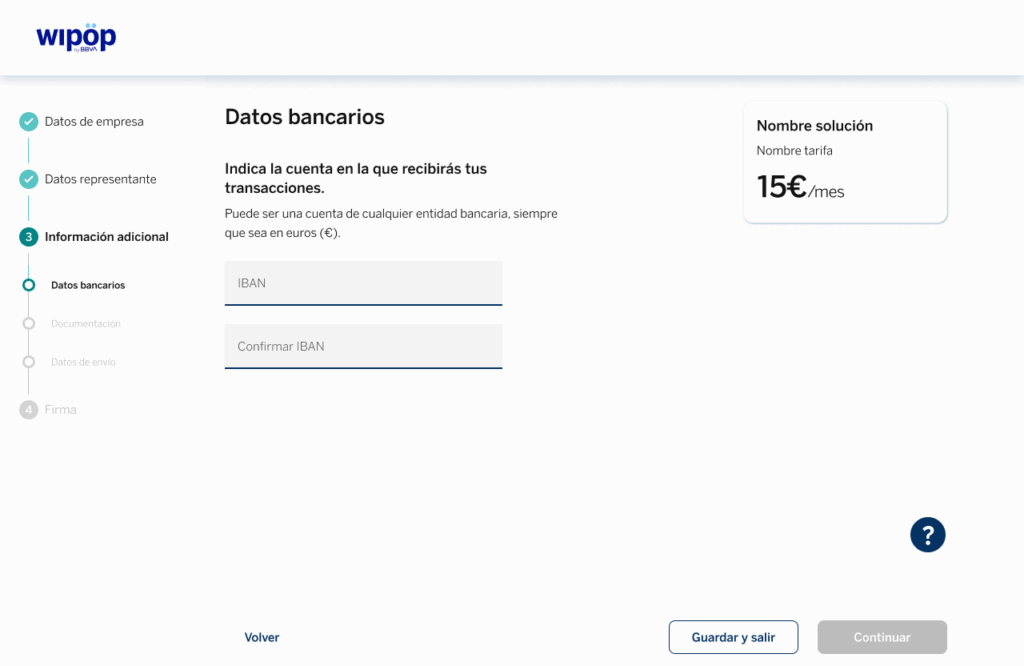
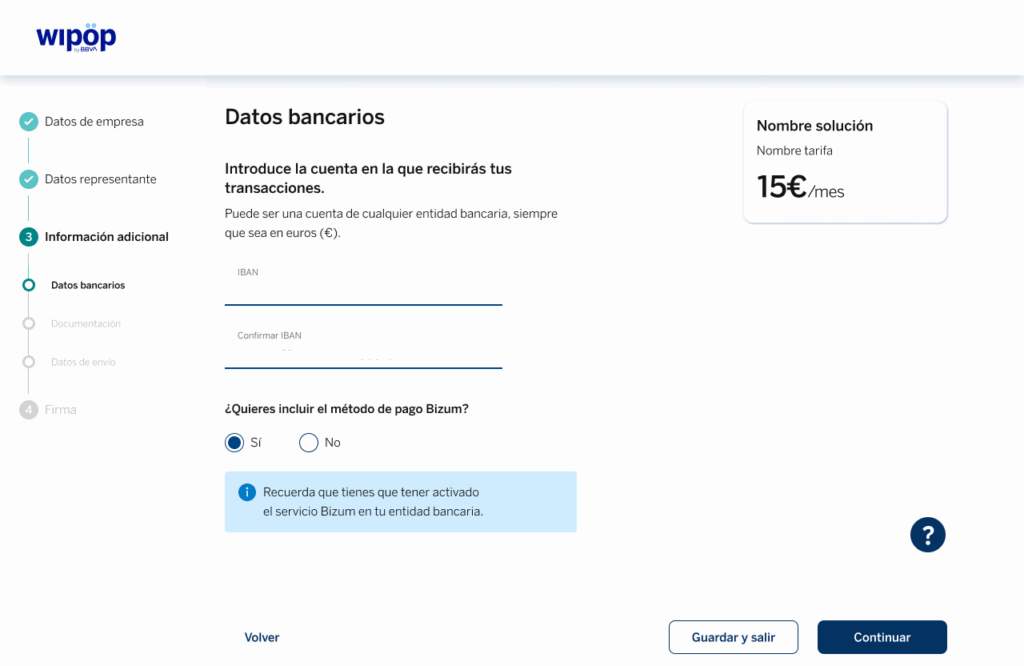
In the first tab of this section, you will be asked to enter the IBAN of the account where you want to receive your transactions, as shown in the example below.
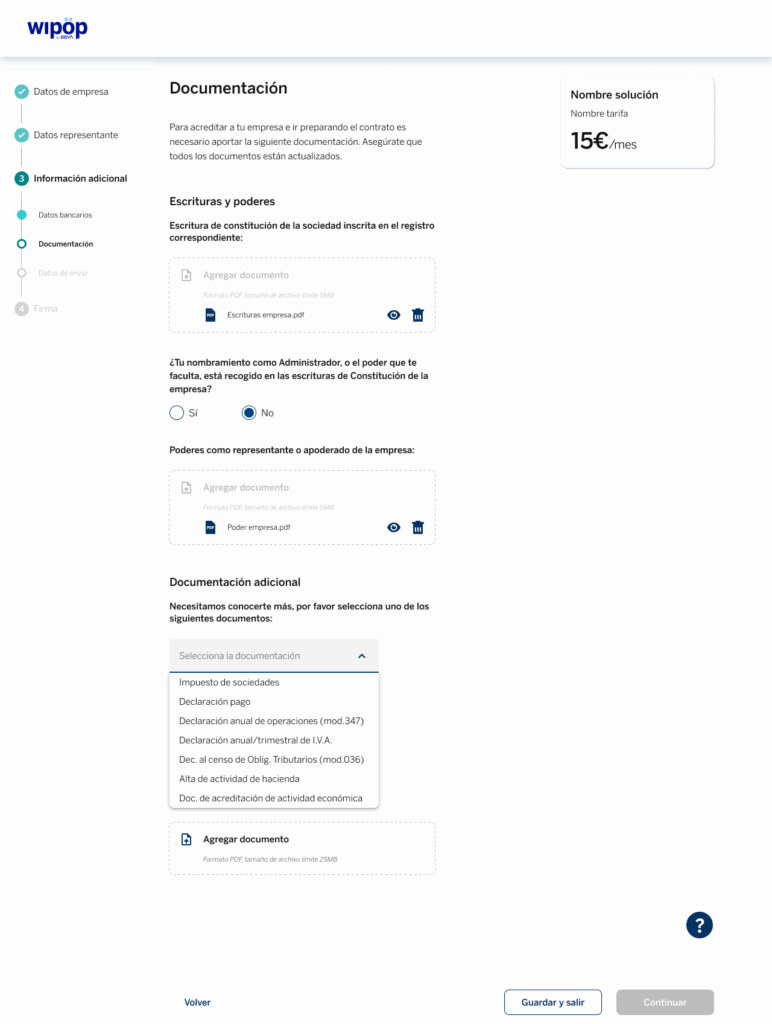
When accessing the second tab, you will be asked to upload the company’s deed of incorporation, the powers of attorney as the company representative, and, for security reasons, one additional document from the following list:
- Corporate tax return.
- Payment declaration.
- Annual declaration of transactions (Form 347).
- Annual/quarterly VAT return.
- Tax census declaration (Form 036).
- Registration of activity with the Tax Agency.
- Proof of economic activity document.
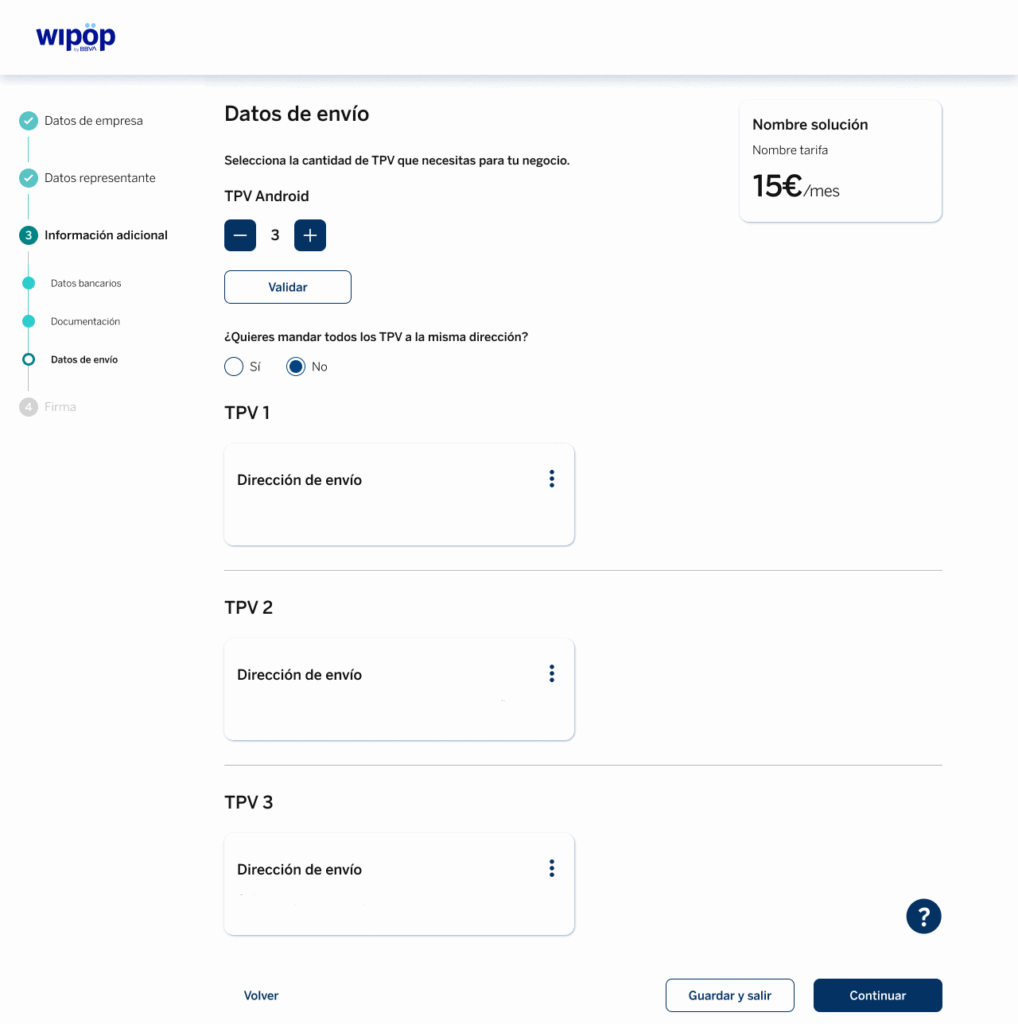
If you order our Wipöp TPV, you will access a third tab where you will have to enter the information required to send you the terminal; as in the example:
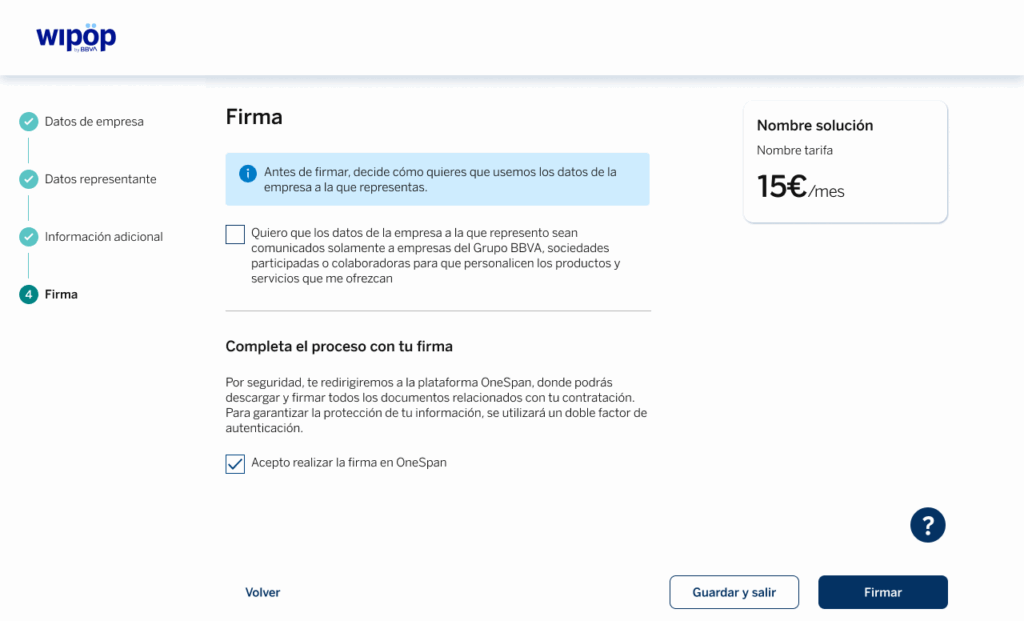
You are just one step away from being able to start collecting. To do this, select (if you wish) how you want us to use your data.
At the end, you must tick the box “I agree to perform the OneSpan signature” before clicking on “Sign”. You will access our secure OneSpan digital signature platform to finalise the contract.
After your signature, the final contract document will be displayed. You will be able to read online as well as we recommend you to download.